Design Family Life
- 4.4
- Rating
- 1.00M
- Installs
- Free
- Price

 Analysis by App-foxy
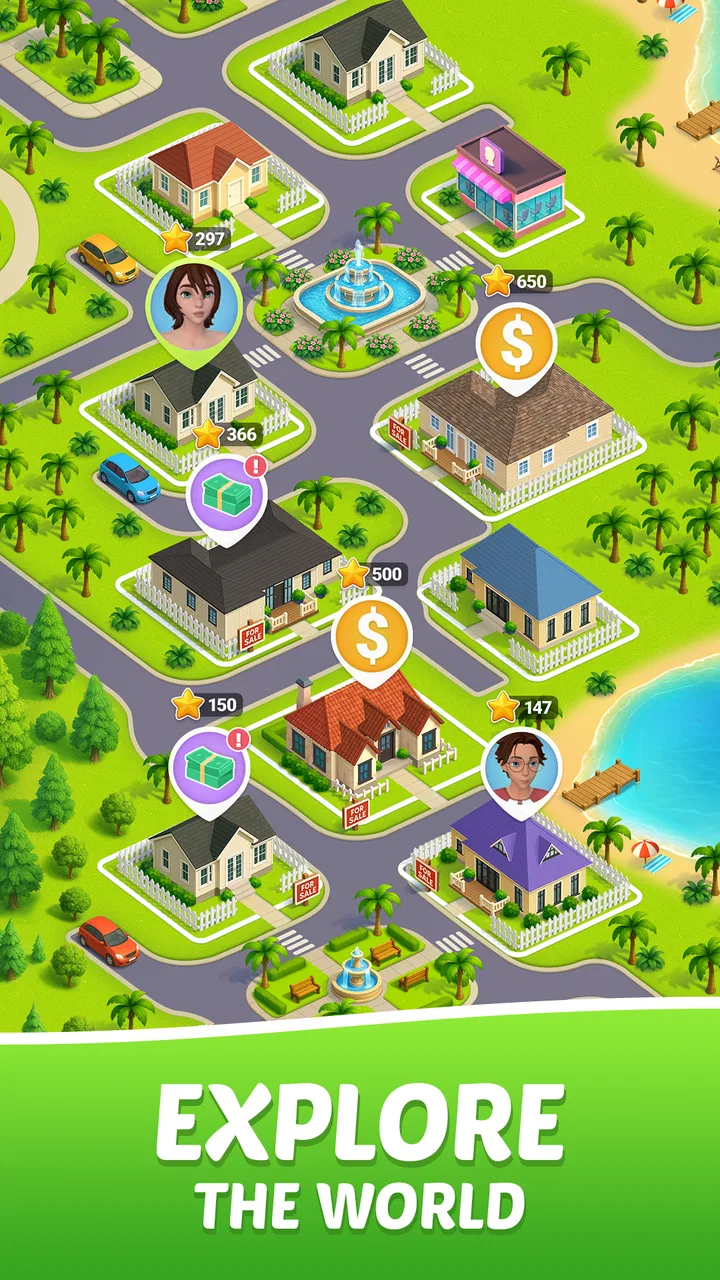
Design Family Life is a simulation game built around the idea of shaping a household through everyday decisions. I approached it expecting a light, choice-driven experience rather than a detailed life simulator, and that distinction matters. The appeal is not simply decorating a virtual home; it is seeing how your decisions influence the family you are trying to build. If you enjoy casual games where small choices gradually create a personal story, this is an easy one to understand and pleasant to explore.
My first impression is that it aims for quick, approachable sessions. You can make progress without treating the game like a second job, which suits short breaks, relaxed evenings, or anyone who prefers simulation games without complicated controls. At the same time, the family theme gives each decision more context than a basic decorating game. I found myself thinking about what kind of household I wanted to create instead of tapping through choices completely at random.
What to expect when you begin
The game comes from Supersonic Studios LTD and is presented as a free simulation title for mobile devices. Its store summary focuses on creating a dream life, designing a home, and guiding a family, so the central loop is easy to grasp: make decisions, improve your living space, and shape the direction of the household. The short description, “Design Family,” is brief, but the actual experience feels broader than a simple room-design tool.
You May Also Like

 Blood Strike: 2.5 Anniversary
Blood Strike’s Loadouts Turn Every Drop Into a Tactical Gamble
A close look at Blood Strike’s custom loadouts: how fast access to signature weapons reshapes its battle royale rhythm, rewards preparation, and narrows the gap between fights.

 Pandora - Music & Podcasts
Pandora’s Music Is Easy to Start, but Harder to Recover
Pandora’s strength is its low-effort path from a seed to a station. Its weak spot is how much confidence it asks you to place in connection, setup, and quiet recovery.

 8 Ball Pool
 Is Built on Rivalries, Rematches, and Routine
A close look at the rivalries, rematches, shared routines, and unanswered safety questions that turn a quick pool match into a persistent mobile community.

 Samsung Music
’s Quiet Strength Is Playing What You Already Own
Its reach comes less from spectacle than from dependable access to a personal library. That simplicity is both the app’s strongest retention engine and its ceiling.

 AccuWeather: Weather Radar
AccuWeather Review: A Quick, Clear Forecast for Everyday Decisions
For everyday plans, the best forecast is the one you can understand quickly. AccuWeather makes rain timing, radar, and local conditions easy to act on, with a few trade-offs.

 Hill Climb Racing
Why Hill Climb Racing Still Turns Crashes Into One More Run
A tiny car, a bumpy hill and one more upgrade: Hill Climb Racing keeps resurfacing because its simple chaos makes every near-miss feel personal.
More From Our News Desk
View All News


It is best to think of the game as a blend of family simulation and casual home customization. You are not entering a highly technical management game with spreadsheets, complex resource chains, or long tutorials. Instead, the design encourages you to make understandable choices and watch your situation develop. That makes it friendly for first-time simulation players, although people looking for deep strategy may find the structure too lightweight.
The game is free to start, with optional in-app purchases ranging from $1.99 to $99.99 per item. I would keep that in mind before getting invested in faster progress or decorative extras. The free entry point is useful for deciding whether the style suits you, but the presence of purchases means I would not tap through every offer automatically. A sensible approach is to play normally first and only consider spending if you already know that the game’s decision-and-design loop holds your attention.
Its age guidance is Everyone 10+, which fits the accessible presentation and family-focused subject matter. The game has reached over 500K installs and holds a 4.4 average from around 6.2K ratings, with roughly 370 written reviews. Those figures suggest that it has found an audience, but I would still treat popularity as a starting point rather than proof that it matches your taste. The important question is whether you enjoy gradual household progression more than action, competition, or highly detailed construction.
The first few minutes are about orientation
When I start a game like this, I want to know what matters immediately and what can wait. Here, the useful mindset is to separate three activities: making a choice, improving the home, and checking how the family situation changes. Trying to optimize everything at once can make the opening feel busier than it really is. I recommend following the early prompts carefully, then pausing to look at the result before rushing into the next option.
That pause is more valuable than it sounds. A choice may appear attractive because it improves the home visually, while another may better support the household’s broader direction. If you only select the most eye-catching option, you can miss the role-playing side of the game. I had more fun when I treated each decision as part of a personal plan: comfortable and practical, ambitious and stylish, or simply experimental.
Your first goal should be understanding the loop, not building a perfect family immediately. Early progress is a learning phase. Notice which screens lead to decisions, which ones focus on the home, and where the game presents optional spending. Once those patterns become familiar, the experience feels much less uncertain and you can play more deliberately.
Setting up a household without overthinking it
The first setup is reassuringly simple because the premise is clear. You are creating a home life, not learning a complicated city simulator. I suggest making your initial choices based on the kind of story you want to see rather than trying to guess an invisible “correct” answer. A family simulation is more enjoyable when the household feels like yours, even if your first decisions are not perfectly efficient.
For a first-time player, one practical method is to choose a consistent theme for the opening stretch. You might prioritize a comfortable home, focus on appearance, or favor decisions that feel financially cautious. The point is not that one theme is objectively better. Consistency helps you notice consequences because you can compare the result with your intention. If you change direction every time a new option appears, it becomes harder to tell what is actually shaping the household.
I also recommend resisting the urge to spend at the first opportunity. Free games often make optional purchases visible before a player understands the normal pace. In this title, waiting gives you a clearer idea of whether the standard progression feels satisfying. It also prevents a common mistake: paying to accelerate a loop that you may not enjoy after the novelty wears off.
Another useful habit is to treat design choices as part of the simulation, not as a separate decorating screen. A home can communicate the kind of family life you are trying to create. If you choose items only because they look appealing in isolation, the overall result may feel disconnected. I found it more rewarding to make the home reflect the decisions I had already made.
Finding the first meaningful success
The first meaningful success is not necessarily the largest upgrade. For me, it came when a choice, a home change, and the household’s direction began to feel connected. That is the moment the game stops being a sequence of taps and starts feeling like a small story you are directing. New players should look for that connection rather than measuring success only by how quickly they unlock the next thing.
A reliable opening workflow is simple. First, read the choice instead of tapping the most convenient button. Next, consider whether it supports the household style you have selected. Then, make the home change that best matches that direction. Finally, check the family result before continuing. This approach takes slightly more attention than rushing, but it gives every action a purpose and makes the early game easier to remember.
One non-obvious advantage of this method is that it exposes the difference between visible progress and meaningful progress. A new design element may make the home look better immediately, but a decision that supports your longer-term idea can be more satisfying. I would use visual improvements as feedback, not as the only measure of whether you are playing well.
There is also a useful role-playing opportunity here. Try making one or two choices based on a clear household value, such as stability, creativity, or comfort, and see how the experience feels. This turns the game into a personal experiment. Even if the system does not respond exactly as you expect, you gain a clearer sense of how much freedom the simulation gives you.
Where new players may become confused
The biggest source of confusion is likely the relationship between design and family decisions. The home is visible and easy to understand, while the consequences of a choice may feel less immediate. If you are unsure what to do next, do not assume that the prettiest option is automatically the strongest one. Look at the surrounding context and consider what kind of household you have been building so far.
Another point of friction is pacing. Casual simulation games can make progress feel uneven: one moment offers an obvious action, and the next asks you to wait, choose, or review your situation. I would not interpret a slower moment as a sign that you have made a mistake. Use it to review your home and decide whether your next action should reinforce your current plan or deliberately change it.
Optional purchases can create a second kind of uncertainty. The price range runs from $1.99 to $99.99 per item, so the difference between a small convenience and a major purchase is significant. My advice is to avoid buying while you are still learning the game. If you eventually spend, set a personal limit beforehand and treat it as entertainment spending, not as a requirement for understanding the basic experience.
The game also may not satisfy players who want complete control over every part of a virtual life. Its accessible design is a strength for casual users, but it can feel limited if your favorite simulations let you micromanage schedules, relationships, finances, or construction details. I would choose a more complex life-management game if your main pleasure comes from controlling many interconnected systems rather than making broad decisions.
How it compares with familiar simulation alternatives
Compared with a pure home-decorating game, Design Family Life gives your choices more narrative purpose. You are not only arranging a room for visual satisfaction; you are considering how the home fits into a family story. That makes it a better match for players who want decoration with a little context. On the other hand, a dedicated decorating game may offer more detailed control over layouts, furniture placement, or visual themes.
Compared with a deep life simulator, this game is easier to approach and less demanding. You can begin without learning a large collection of systems, which is ideal when you want a quick, guided experience. The trade-off is depth. Players who enjoy long-term planning, intricate relationships, or precise control over individual routines may eventually want something more expansive.
It also differs from management games that focus on money, production, or optimization. Here, the emotional idea of building a household is more important than running a business or balancing a large operation. That makes it suitable for relaxed play, but less suitable if your favorite part of simulation is finding the most efficient strategy under pressure.
In everyday use, I can imagine opening it during a short commute, choosing the next household direction, and making one home improvement before putting the phone away. It works particularly well for players who like progress in small pieces. Someone who wants a complete, uninterrupted story in one sitting may find the structure less compelling, while someone who enjoys returning to a developing household will probably appreciate the rhythm.
Practical habits that make the experience better
My first tip is to keep a simple mental record of your household’s direction. You do not need notes or a detailed plan; just remember whether you are currently prioritizing appearance, comfort, or a particular family style. This prevents random decisions from taking over and makes the home feel more coherent.
My second tip is to inspect the result of a choice before immediately spending resources or selecting another upgrade. The most useful information may be in the change to the household rather than in the new decoration itself. Giving yourself a moment to compare the before-and-after state helps you identify which actions actually matter to your play style.
My third tip is to use the free opening as a trial period. Play long enough to decide whether the family-building premise is genuinely enjoyable, then make a purchase decision only if the normal loop already feels good. Spending should enhance a game you like, not rescue one that feels repetitive.
A fourth useful approach is to alternate between consistency and experimentation. Follow your chosen household theme for several decisions so you can see its effect, then make one contrasting choice to test how flexible the game feels. This gives you more information than either playing randomly or following one rigid plan forever.
Finally, remember that the version shown for the game is 0.1.803 and that it requires Android 10 or later. I would check your device compatibility before planning to play, especially if you use an older phone or tablet. On supported hardware, the main consideration is not technical complexity but whether the game’s guided, casual structure suits the amount of control you want.
Who should try it, and who should skip it
I would recommend it to someone who likes approachable mobile simulation games, home design, and decisions that gradually shape a family setting. It is especially suitable for a first-time player because the premise is easy to understand and the early objective is concrete: make choices, improve the home, and see where the household goes. It can also work for players who prefer short sessions instead of long, demanding management runs.
I would be more cautious recommending it to a player who dislikes optional purchases, expects a completely free progression path, or wants highly detailed control over every family member. The purchase range is wide, and the game’s casual presentation may not provide enough depth for experienced simulation fans. If you want a sandbox with extensive customization and complex consequences, a larger life simulator is probably the better choice.
For families or younger players, the Everyone 10+ guidance is worth considering alongside your own preferences. The theme is approachable, but it is still a decision-based simulation rather than a simple coloring or decoration app. I would play the opening together if you are introducing it to someone else, because discussing the choices is part of what makes the game engaging.
My final take after settling into the loop
Design Family Life succeeds when I treat it as a guided story about shaping a household, not as a full replacement for a complex life simulator. Its strongest quality is accessibility: the idea is clear, the decisions are easy to approach, and the home gives the family theme a visible sense of progress. The developer has aimed for a game that can be picked up casually, and that makes it a comfortable recommendation for newcomers.
Its limitations are equally clear. Players may want more detailed management, stronger strategic consequences, or greater control over the home than this style provides. The optional purchase range also means I would play carefully and avoid confusing paid acceleration with necessary progress. Those are not deal-breakers for me, but they are important when deciding what kind of experience you are downloading.
Overall, I would recommend Design Family Life to anyone who wants a relaxed simulation experience with family choices and home design at its center. Start slowly, choose a household direction, connect your decorations to that direction, and wait before spending. If your first meaningful success is seeing your decisions create a home that feels intentional, you will probably understand the game’s appeal. If that connection never develops and you are looking for deeper control, it is better to move on to a more advanced alternative.
FAQs for Design Family Life
01What is Design Family Life and what does it offer?
Design Family Life is a lifestyle app aimed at helping families organize their daily activities, meal planning, and household tasks. It provides users with an intuitive interface to schedule events, share lists, and set reminders. This app is perfect for families looking to improve communication and streamline their routines.
02Is Design Family Life available for both Android and iOS?
Yes, Design Family Life is available on both Android and iOS platforms. You can download it from the Google Play Store for Android devices and the Apple App Store for iOS devices. Ensure that your device meets the minimum operating system requirements for optimal performance.
03Does Design Family Life offer any customization features?
Absolutely! Design Family Life allows users to customize themes, color schemes, and notification preferences. You can tailor the app to match your family’s style and preferences, making the experience both personal and engaging. Customization enhances usability and ensures the app fits seamlessly into your daily life.
04Are there in-app purchases or subscription fees?
Design Family Life offers a free basic version with essential features. However, for enhanced functionalities like advanced planning tools and ad-free usage, there are in-app purchases and subscription options. These premium upgrades provide additional convenience and are designed to maximize the app’s potential for your family.
05How secure is my data on Design Family Life?
The app places a strong emphasis on security and privacy. Design Family Life uses encryption protocols to protect your data and ensure it is not shared without your consent. Regular updates and security patches are implemented to safeguard user information, giving you peace of mind when managing your family’s schedules.
Pros
- Intuitive user interface
- easy to navigate.
- Customizable reminders for family events.
- Seamless syncing across multiple devices.
- Supports integration with popular calendars.
- Offers secure data privacy and protection.
Cons
- Limited free version features.
- Occasional sync delays reported.
- No offline access available.
- Requires constant internet connection.
- Some users find notifications overwhelming.

Design Family Life
Gallery